
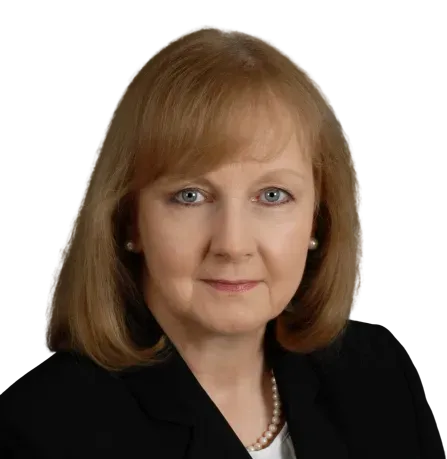
I'm Kerri Salls
I’m the mother of U.S. Marine and Air Force officers, founder of Value Growth Holdings, and a #1 best-selling author. I’ve been a value growth advisor for over 30 years. With that experience, I know how to build cashflow for others and now for myself.
As an investor acquiring cashflowing businesses, I invite you to invest alongside me.
My Story
I grew up in a modest family with two working parents. After college and the Peace Corps, I started down the traditional corporate track for 10 years leading $10-15M projects. I stepped off that track to consult to high tech startups where clients pulled me from the technical side of their businesses to the strategic side to help them accelerate growth and maximize value. I help companies triple enterprise value in 2-3 years before exiting to the lower middle market.
I’m now the investor/acquirer, executing what I’ve been teaching others to do. It’s my turn to get the same results for equity.
What I Do
I have helped businesses increase value, 200-500%.
By acquiring cashflowing businesses, I now get to bring opportunities for consistent income to the individual investor.
I connect people to opportunities. Opportunities bring choices and freedom. This is how I get to help investors buy back their time by investing alongside me; delivering income on their terms – often called ‘mailbox money’.
Why I Do What I Do
My mom was a teacher for 62 years. After Harvard and Babson, my father started his business with 4 kids under school age. At age 52, my father started a gradual retirement. A year later he was diagnosed with cancer. A year after that he was gone. That motivated me to find a more effective way to build wealth for me and others.
I needed to and found a better way. Come along with me. Leverage my credibility and team to match the best opportunities to each investor’s identified needs.
How?
I educate people on this alternative form of investing that used to be reserved for the 1% of the 1%.
Instead of a traditional investment plan of stocks and bonds, saving until retirement age to touch it; we build an income first plan of passive income from business acquisitions.
My acquisition opportunities provide double digit passive income and some upside. These are the kind of opportunities I share with qualified investors.
Did you know that the way true wealth has always been built in this country is through private real estate and private business?
The wealthiest 1% of 1% start with income first, by owning businesses and real estate that generate consistent passive income.
Why wait for that?
Why don’t we buy your time back now?
What I Do & Why It's Different
-
Our Purpose...
Our purpose is to professionalize and scale every business we acquire in order to sell into the lower middle market in 3-5 years. We have a 3 step process to reduce risk, accelerate growth and maximize value. Our toolkit allows us to oversee every acquisition in the portfolio on the same platform.
-
Investor Buy Box
We have an investment buy box and an acquisition strategy to find off market opportunities.
-
4% Returns
Average investors make 4% returns historically. As an alternative to your traditional portfolio, our acquisitions pay 10% or higher with potential tax benefits.
-
Cashflow Focused
Our primary driver in any transaction is cashflow, which translates to predictable consistent income for investors to achieve their goals and objectives.
-
Transaction Team
My transaction team on each project includes CPAs, auditors, a tax accountant and transaction attorneys along with my acquisition team and my investment team.
The operational team in each acquisition varies; depending on how I structure and run the business. We implement support systems with the day-to-day team.
My role is oversight / strategy / direction along with an onsite operator to get the job done.
Buy Box
I have specific criteria for my buy box, that my team and I have refined over years and a lot of businesses. We source off-market deals that fit those criteria.
A minimum of 20% net
A sale price of $1-5M
In business at least 5 years, preferably longer
10 employees or more
Untapped potential for growth
Not yet professionalized
Semi-absentee/absentee ownership


Credibility
Look, I found where true wealth is made after decades of helping business owners to increase their value 200-500%. I realized I want to build that kind of cashflow and wealth for myself.
Sample Client Results:
Industry
Cashflow Increase
Revenue Growth
Increased Value 12-24mo
Training
26%
46%
540%
Safety
25%
100%
500%
Printing
24%
100%
600%
Moving
273%
377%
240%


Education
BA – Bates College
MBA – Boston University
Certified Value Growth Advisor (CVGA)
Leadership
Exit Planning Exchange Boston Board Member
2014-2020
AM&AA Middle Market Alliance Board Member
2014- 2019
Exit Planning Institute: Boston Chapter Board Member
2020-2022
Boston Exit Planning Consortium Leadership
2022- Present

Take Back Time
with Income & Cashflow
© 2022 Value Growth Holdings LLC. All Rights Reserved.